Your iPhone, a live camera.
Send your iPhone’s or iPad’s camera, with its microphone, to your Mac, into OBS and other NDI software, or to any browser on your network. Record it on the device at the same time.
Download on the App StoreDownload on the Mac App StoreiPhone or iPad with iOS 17 or later.
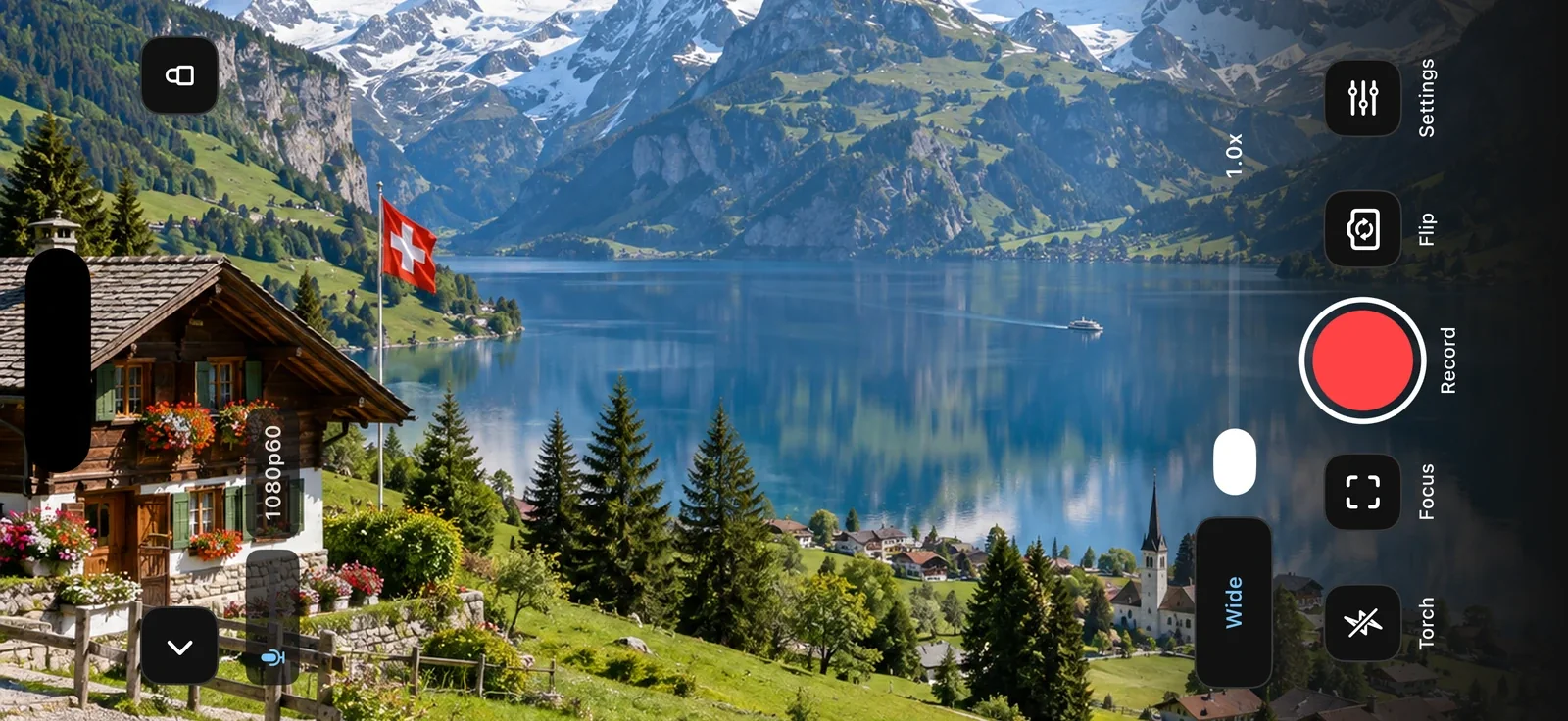
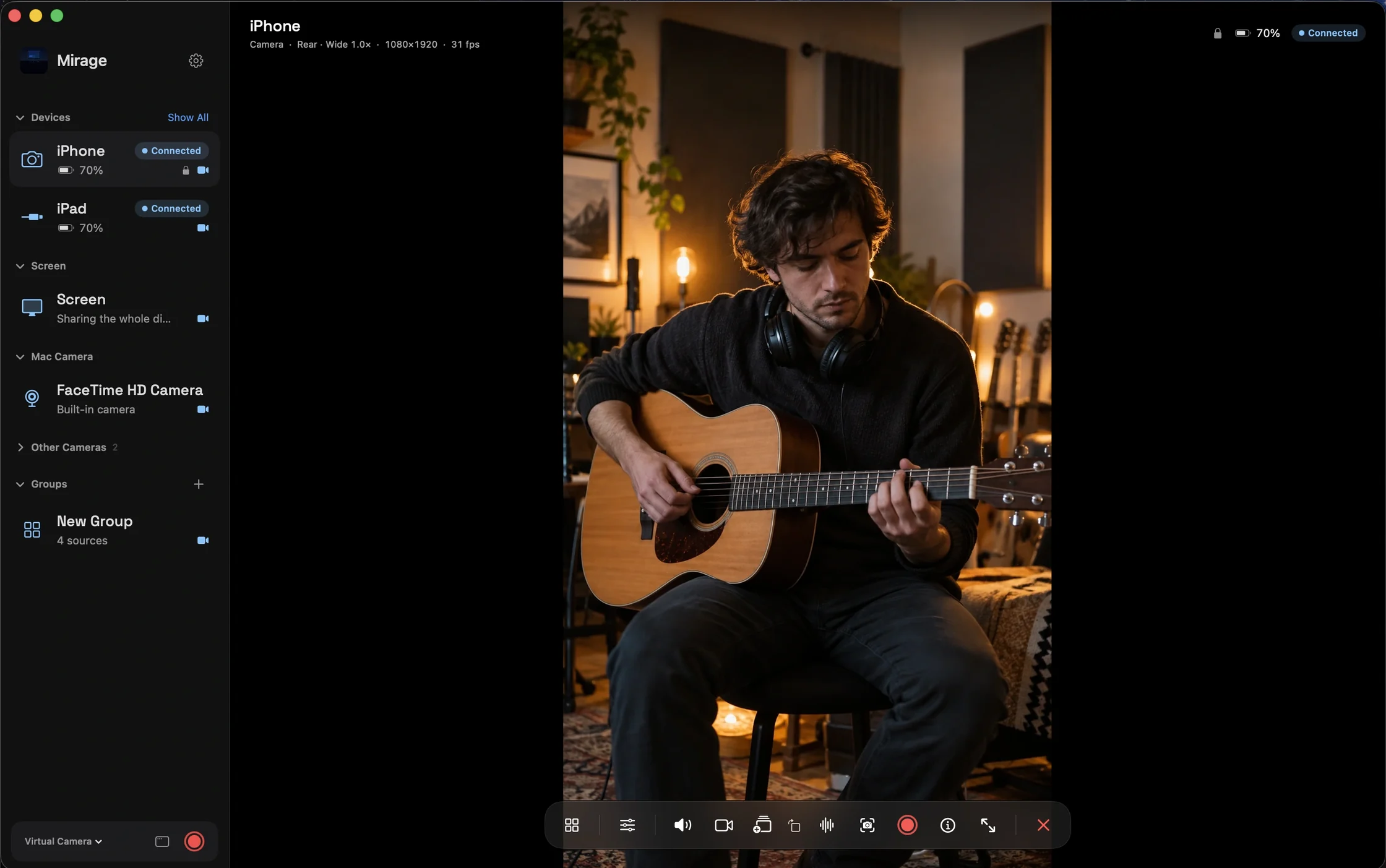
To your Mac, OBS, or a browser.
Mirage Broadcast sends Camera to Mirage for Mac, another iPhone, or an iPad. NDI® sends it into OBS and other NDI software. Browser shows it on any computer on the network, with no app to install.
Each output carries the picture and the sound. OBS needs the DistroAV plugin for NDI.
Frame it your way.
Pinch to zoom and drag to pan, or pick up a game controller. Auto Framing and hand gestures keep you in the shot.
Switch lenses, and set focus, exposure, white balance, and the torch.
Turn your iPhone into your OBS webcam with Mirage.
More in Camera
Questions
Can I use my iPhone as a webcam on my Mac?
Yes. Start Camera on the iPhone, add it in Mirage for Mac, and turn on Virtual Camera. Then choose “Mirage Camera” in Zoom, Google Meet, FaceTime, or any other app.
Does Camera work with OBS?
Yes, two ways: through Mirage Camera on a Mac, with no plugin, or as an NDI® source on any computer, with the DistroAV plugin and the NDI Runtime installed in OBS.
Can I record while streaming?
Yes. Camera records on the device while it streams, in H.264, HEVC, or ProRes, and in Apple Log on supported iPhone Pro models.
Does it work on iPad?
Yes. Camera works on iPhone and iPad with iOS 17 or later.
Does Mirage Capture need the internet?
No. Devices connect over your local network. There is no account and no cloud relay.
Guides
Also in Mirage Capture
Get Mirage Capture.
One purchase for iPhone, iPad, Mac, and Apple Watch. No account, no subscription.
Download on the App StoreDownload on the Mac App Store