Turn your iPad into a capture monitor.
Plug a UVC capture card into an iPad with USB-C and see your camera, console, or computer live, with its sound. Check exposure and focus with professional monitoring tools.
Download on the App StoreDownload on the Mac App StoreiPad with a USB-C port and a compatible UVC capture card. iPad only.

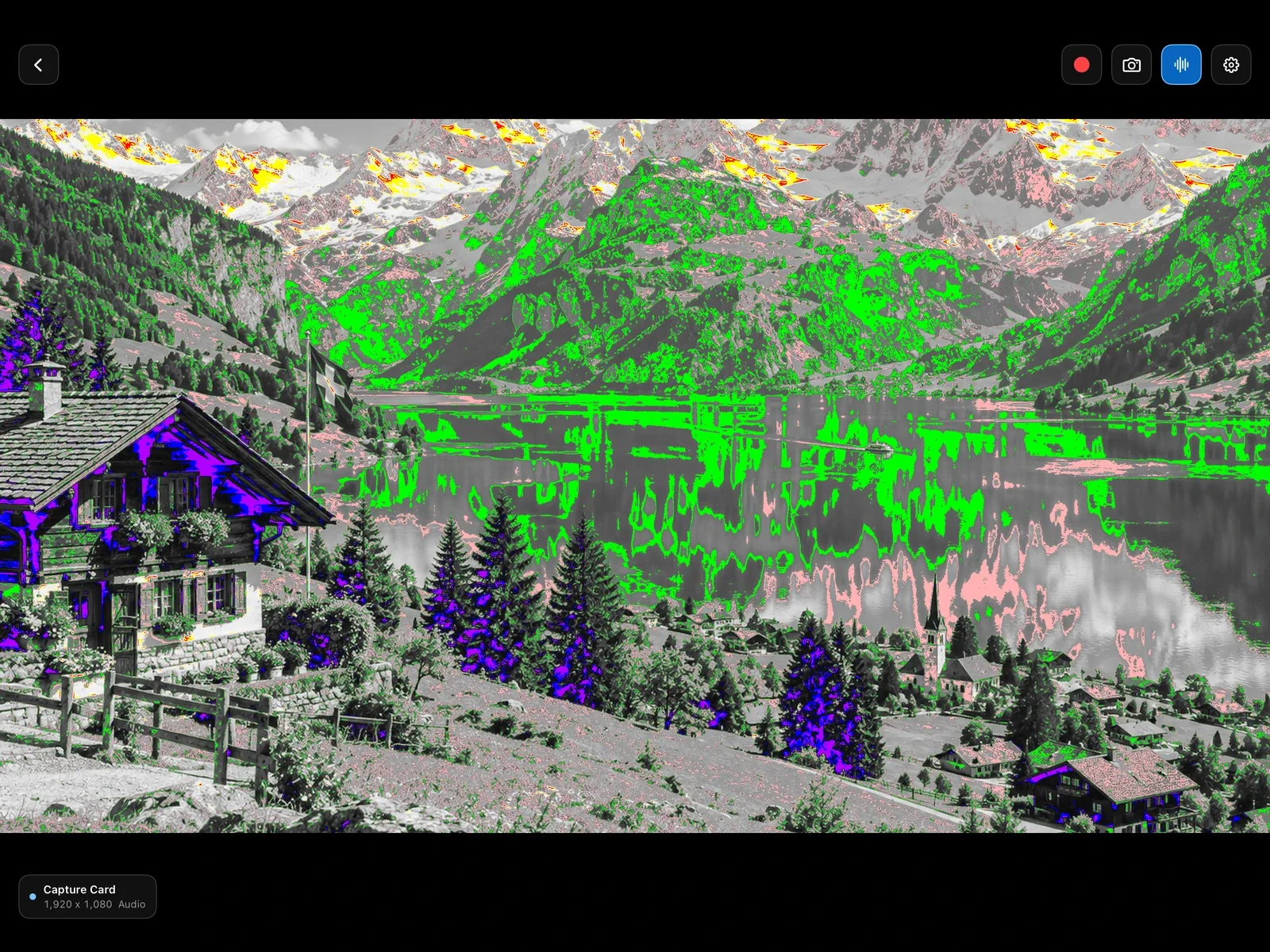
Check exposure and focus.
False color, zebras, focus peaking, a histogram, a waveform, frame guides, and your own LUTs. They stay on the iPad: broadcasts, recordings, and screenshots get the clean feed.
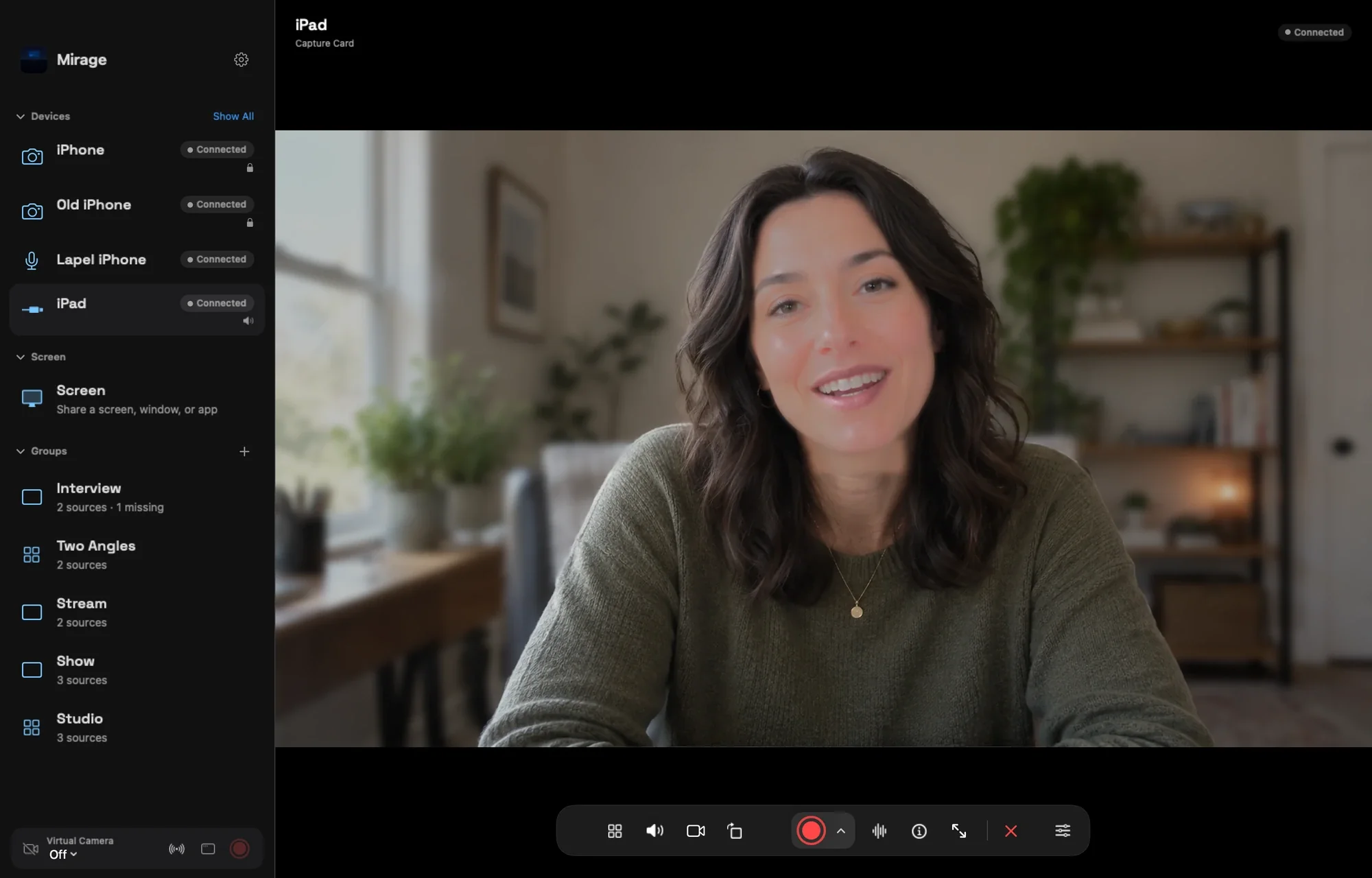
Record it, or send it on.
Record the clean feed with its audio, or broadcast it to an iPhone, another iPad, or a Mac, where it becomes one more source in the studio.
Turn your iPad into an HDMI monitor for your camera or console.
More in Capture Card
Questions
Which iPads work?
An iPad with a USB-C port and iPadOS 17 or later. iPhone can’t connect a capture card, but it can watch an iPad’s Capture Card broadcast.
Which capture cards work?
UVC (USB Video Class) capture cards that iPadOS recognizes, the kind that work without a driver. A direct HDMI cable to the iPad is not enough.
Can I use it with a Nintendo Switch, PlayStation, or Xbox?
Yes. Anything with HDMI out can go through the capture card: consoles, cameras, and computers.
Do overlays show up in recordings?
No. False color, zebras, and peaking are for the iPad’s screen only. Recordings, broadcasts, and screenshots use the clean feed.
Guides
Also in Mirage Capture
Get Mirage Capture.
One purchase for iPhone, iPad, Mac, and Apple Watch. No account, no subscription.
Download on the App StoreDownload on the Mac App Store