Run the show from your iPhone or iPad.
Director watches up to four cameras at once, and runs your Mac studio from your hand: switch what’s in use, record, add markers, play a replay, and start the stream, with the studio’s sound levels on screen.
Download on the App StoreDownload on the Mac App StoreiPhone or iPad with iOS 17 or later. Running a studio needs Mirage for Mac.
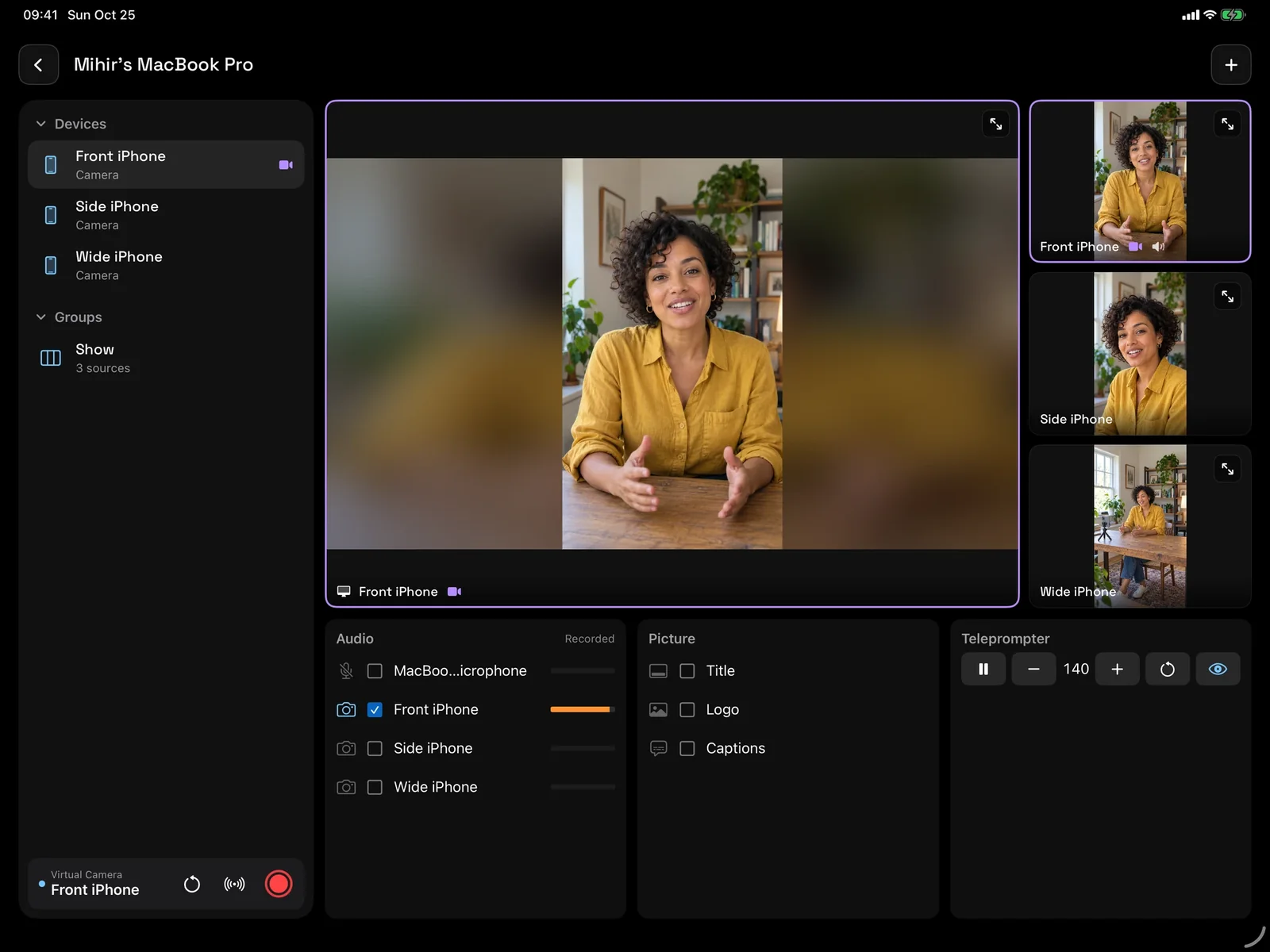
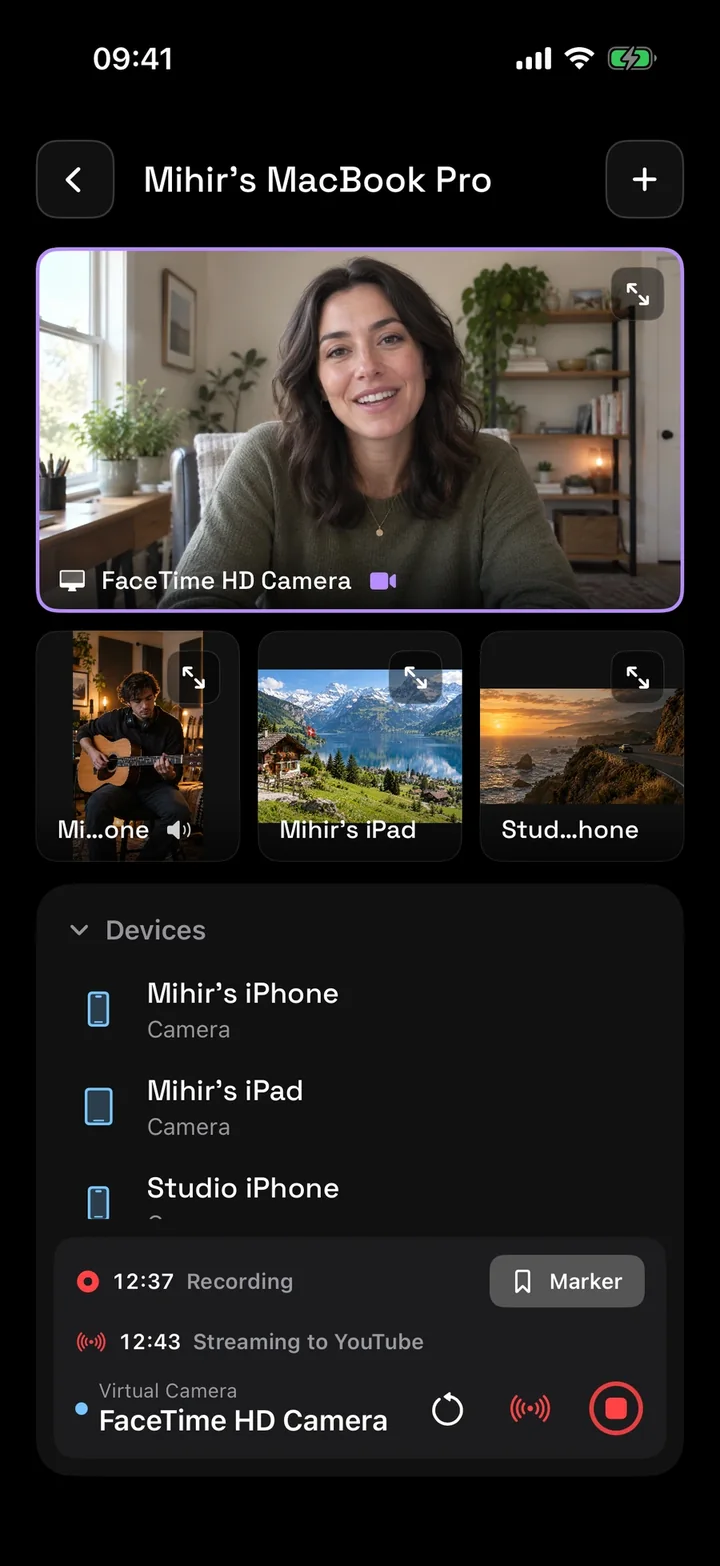
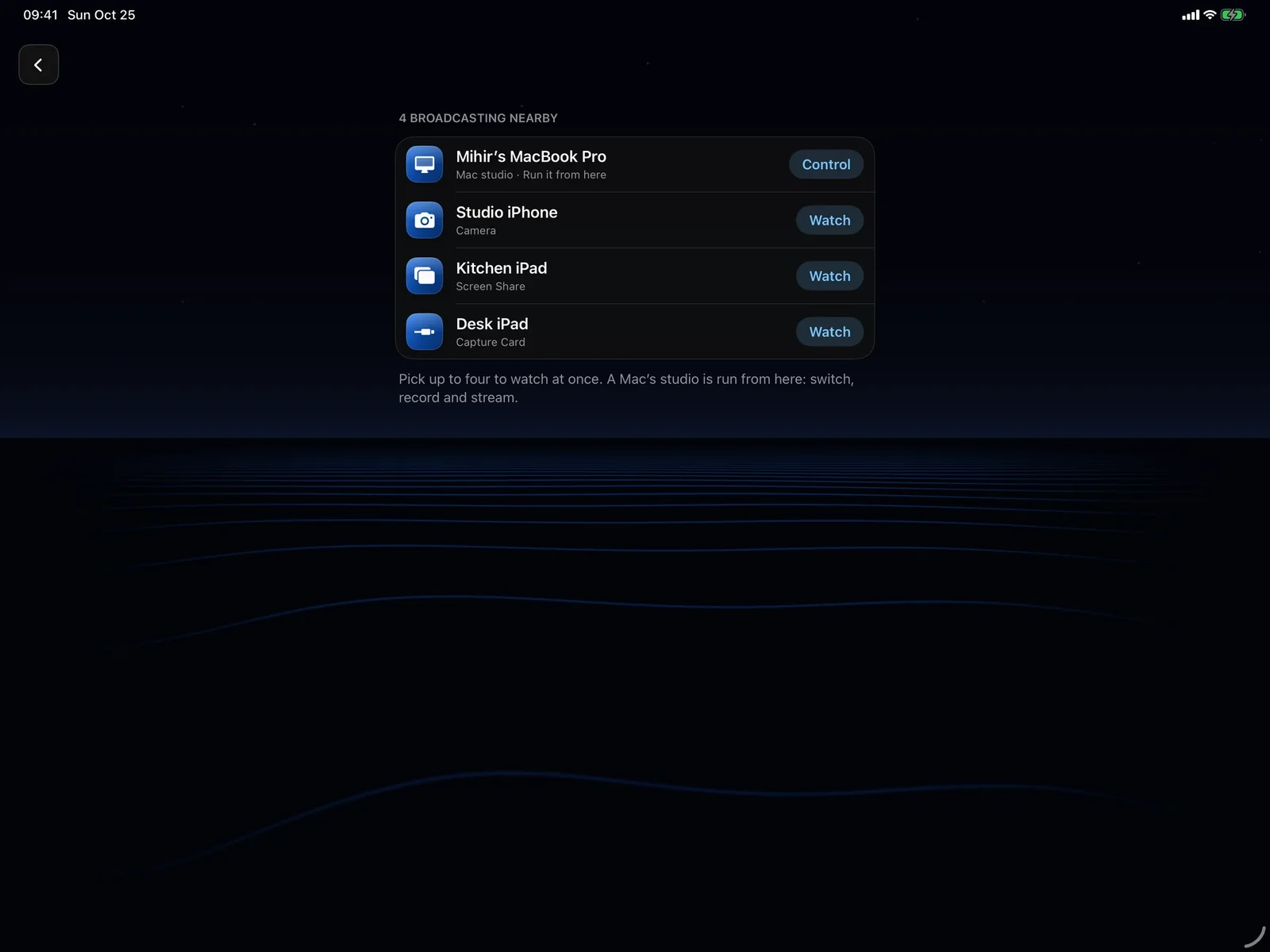
Everything nearby, in one list.
Director opens on what is broadcasting on your network: cameras, capture cards, screens, and Mac studios. Pick up to four to watch at once, and show any one full screen.
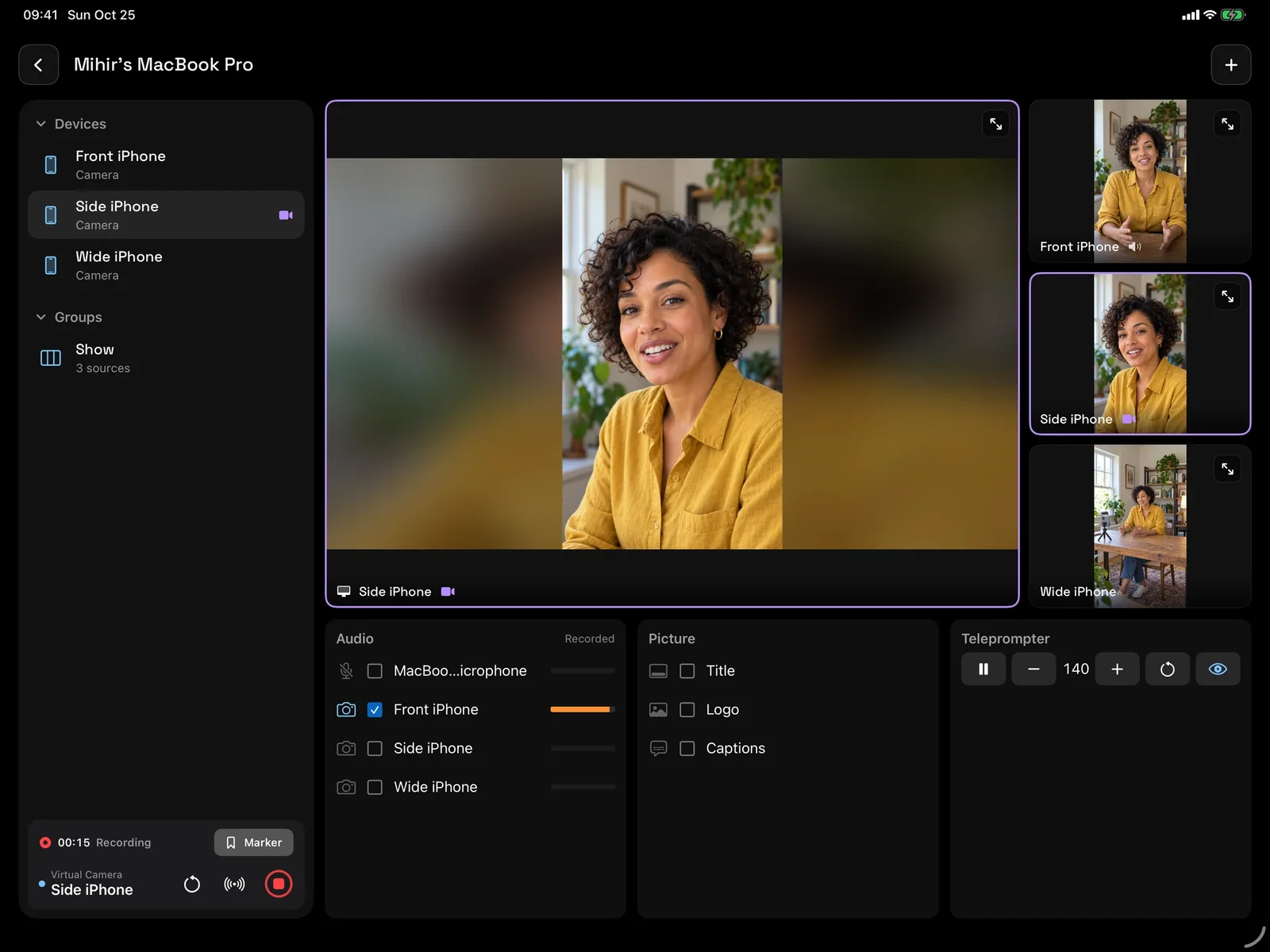
Your Mac’s studio, in your hand.
Add a Mac and Director looks like its window: the sources down the side, the picture in use, and its Audio, Picture, and Teleprompter cards. Tap a camera to put it in the virtual camera.
Stream is press-and-hold, so a touch in a pocket never starts or ends one.
Run your Mac’s video studio from your iPad with Mirage.
More in Director
Questions
How many cameras can Director show?
Up to four Mirage broadcasts at once, plus a Mac studio. Any one can fill the screen.
Do I need a Mac to use Director?
No. Director watches iPhone and iPad broadcasts on its own. Running a studio, recording it, and streaming need Mirage for Mac.
Can several people watch one camera?
Yes. A broadcast can be watched by up to four devices at a time (two for Screen Share).
Guides
Also in Mirage Capture
Get Mirage Capture.
One purchase for iPhone, iPad, Mac, and Apple Watch. No account, no subscription.
Download on the App StoreDownload on the Mac App Store